Video Call Translation with Family: What Works in 2026

Your grandmother just sent a WhatsApp video call request and you don't speak the same language.
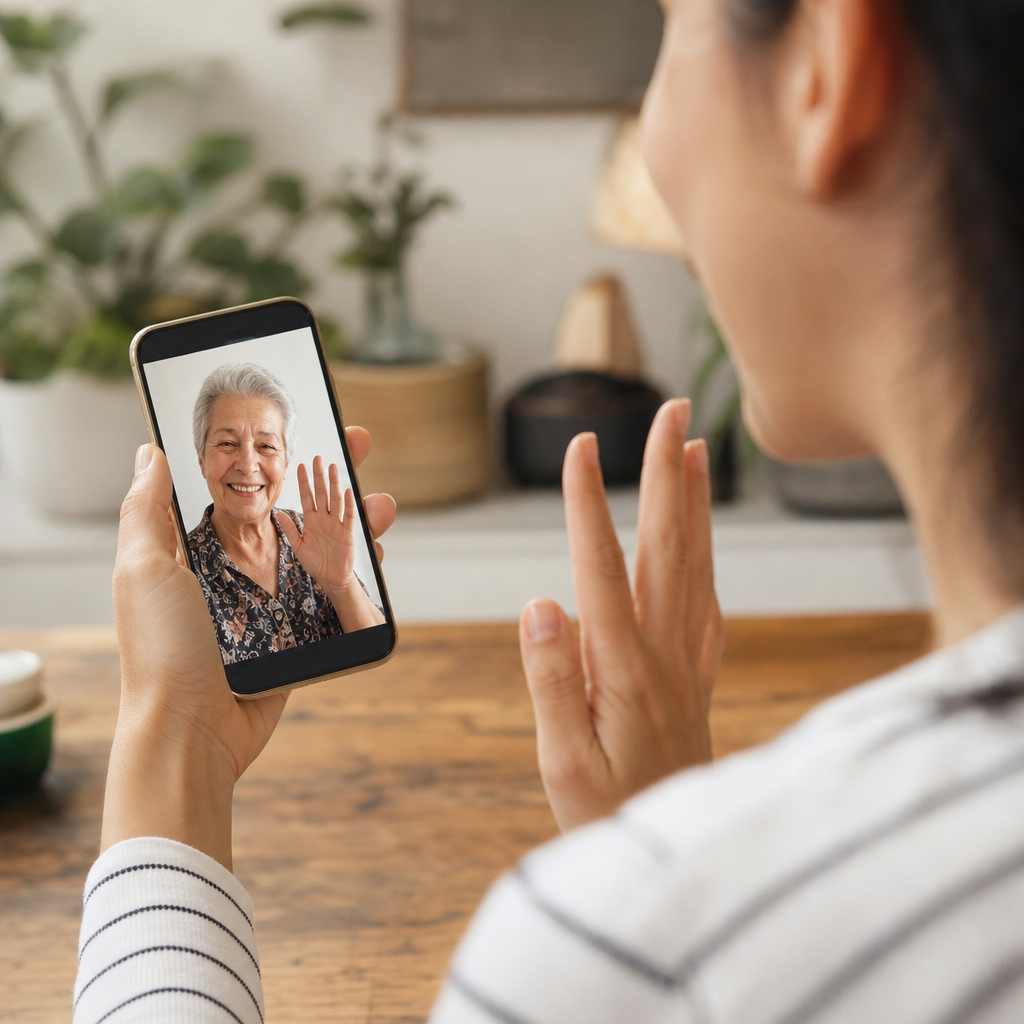
Your grandmother is calling from Portugal. Your phone buzzes, her face appears on screen, and you realise, again, that you barely share a dozen words. This moment used to have a simple fix: Skype's live translation. But Skype shut down on 5 May 2025, and millions of families lost their go-to solution overnight. WhatsApp still doesn't translate voice or video calls. So what actually works now?
The 2 minute panic: What to do when the call is already ringing
The video call notification just appeared. Your grandmother's face is on screen, she's waiting, and you have maybe ten seconds to decide. Translation wasn't planned. It never is.
The instinct is to open WhatsApp and hope for the best. That won't work. WhatsApp still doesn't translate live voice or video calls in 2026. It handles some text messages in certain regions, but during an actual call, both sides hear untranslated audio. For a deeper look at what WhatsApp actually offers, we've covered the WhatsApp video call translation options separately.
So the call keeps ringing. Declining feels like rejection, especially when it's family. But answering unprepared means thirty minutes of confused half-sentences, both of you pretending to understand more than you do. Neither option feels right.
The emergency solution that's emerged: link-based translation tools. Services like iTour, AI Call, and Transync let one person share a translated call link. The other person doesn't need to install anything. According to Localingo's overview of the best live translation apps, this approach removes the biggest friction point for family calls. No app store, no account creation, no explaining technology to someone who just wants to talk.
The technology exists. The gap is knowing it's there before the phone rings.

The real barrier is trust, not technology
Real-time translation quality became good enough across major platforms in 2026. The problem shifted. According to Fora Soft's comparison of video call translation tools, the core challenge moved from technology to product design and human comfort.
The dignity problem matters more than the technical specs. Asking a 75-year-old to download an app, create an account, verify an email, and click through unfamiliar menus feels patronizing. It creates anxiety. Your grandmother didn't call to receive a tech support session. She called to see your face and hear your voice.
Link-based tools like iTour, AI Call, and Transync remove this friction entirely. One person shares a link. The other person clicks it and talks. No app store. No account creation. No explaining anything. The technology stays invisible, which is exactly where it belongs during a family call.
Then there's the robot voice concern. Many older relatives feel confused or distrustful when a synthetic voice suddenly speaks for their grandchild. The reaction makes sense. You've heard your grandmother's voice your entire life. She's heard yours. A flat, artificial tone replacing that familiar sound feels wrong, almost like talking to a stranger wearing a loved one's face.
The best tools in 2026 address this with more natural voice synthesis and optional subtitles. But awareness remains the gap. Most families still don't know these options exist.
Preparing your relative before the first translated call
The technology works. The surprise factor doesn't. Families who prepare relatives ahead of time report smoother first calls with far less confusion.
Step 1: Send a simple explanation before calling. A brief text or voice message works best. Something like: "I'm going to call you, and a computer will translate our words so we can understand each other." No technical jargon. No app instructions. Just the core idea in familiar language.
Step 2: Warn them about the delay. Consumer translation tools have a 1 to 3 second lag between speaking and hearing the translation. Without warning, this pause feels like a broken connection. Relatives hang up, call back, assume the internet is down. A quick heads-up removes that anxiety: "There will be a short pause after each sentence. That's normal."
Step 3: Model the rhythm on your first call. Speaking slowly, pausing between sentences, avoiding interruptions. These habits help the translation catch up and give your relative time to process what they're hearing. The rhythm feels strange at first. By the third call, most families find their natural flow.
Step 4: Acknowledge what they lost. Skype's shutdown in May 2025 removed a familiar option for many older relatives. Some had used it for years. The new tools work differently, and that shift can feel disorienting. A little patience goes a long way. So does saying: "I know this is new. We'll figure it out together."
When the other person refuses to download anything
This is the most common friction point in family translation scenarios. The call never happens because one person won't, or can't, install an app.
-
Link-based tools changed the equation entirely. Services like iTour, AI Call, and Transync let you start a translated call and send a simple web link via text or WhatsApp. Your relative clicks it, joins the call, and talks. No app store, no account, no password recovery.
-
The older approach required both people to have the same app installed and configured. For many families, that meant the call simply never happened. Too many steps, too much explaining, too much frustration before the conversation even started.
-
This works across device types. Your Android-using uncle can join a translated call with your iPhone-owning cousin without anyone switching ecosystems. We've covered the FaceTime call translator solutions separately for families split between Apple and Android devices.
-
The person clicking the link sees a straightforward interface. No menus to learn, no settings to adjust. They speak, they hear the translation, they see your face. The technology stays out of the way.
The pattern we're seeing: families who struggled for years with "just download this app" requests are finally having real conversations. One click turns out to be the difference between a call that happens and one that doesn't.
Handling bad connection and audio quality
Translation quality depends entirely on what the microphone picks up. A spotty connection doesn't just create static. It creates compounding problems. The translation engine receives garbled fragments, guesses wrong, and outputs nonsense. Your grandmother hears something that sounds nothing like what you said.
Modern real-time voice translator tools deliver translated audio in 1 to 3 seconds under normal conditions. Poor connections can push this to 5 seconds or more, breaking the natural back-and-forth that makes conversation feel human. According to Timekettle's overview of top phone call translators for real-time use, audio clarity matters more than internet speed for accurate results.
Practical fixes that families use: moving closer to the router helps more than most people expect. Switching from video to audio-only reduces bandwidth demands significantly. And landlines, where they still exist, often provide cleaner audio than a weak mobile signal ever could.
The backup plan matters just as much. A simple phrase sheet, printed or saved on the phone, covers the basics when live translation fails. Text chat works too. WhatsApp messages still translate in many regions, even when voice calls don't. Having both options ready means the conversation continues, even if the format changes.
The calls that go smoothly aren't lucky. They're prepared.
Making translated calls feel like real conversations
The technology exists to translate words accurately. But that's never been the point of calling your grandmother. The goal is warmth, presence, the feeling of being together even when an ocean separates you.
Families finding success with translated calls share a common pattern. They begin with the familiar. A greeting in both languages. Questions about the weather, about meals, about the dog. These simple exchanges let both sides adjust to the translation rhythm before moving to anything emotionally complex. By the time the conversation deepens, the technology has faded into the background.
This quality improvement isn't accidental. Over half of global business leaders, 54% according to a recent DeepL survey, now consider real-time voice translation essential for their work. That corporate demand has driven massive investment in accuracy, latency, and natural-sounding output. Personal calls benefit directly from these advances.
The families who report the best experiences share another habit. They treat the translation tool as invisible. Eyes on the face, not the interface. Attention on expressions, not on the slight delay between sentences. The pause becomes part of the rhythm, like the natural gaps in any conversation.
Your grandmother's smile when she finally understands your joke. Your grandfather's voice softening when he hears about your day. Translation technology makes these moments possible. The emotional connection makes them matter.
Try Bridgecall free for your next family video call and see how simple translated conversations can feel.
Related Bridgecall Guides
How to Translate a Phone Call Without an App
Use one browser link for a voice-only translated call with no guest installation.
Video Call Translation
Start browser-based translated video calls with voice and subtitles.
Phone Call Translator
Start voice-first multilingual conversations without app installation.
How to Translate a Phone Call Without Installing an App
Translate a voice call through one browser link. Learn what your guest needs, how to set it up, and when regular phone number translation is different.
WhatsApp Call Translation in 2026: Why Grandma Can't Answer
Your parents didn't miss your call because of bad technology. They missed it because the translation app needed a software update, a new account, and a
Lesser-Spoken European Languages: Why Dialects Break Calls
Your Portuguese grandmother's Alentejo accent or your partner's Sicilian-speaking nonna live just a few hundred kilometers from where translation apps
Ready to start multilingual calls?
Create a Bridgecall room in minutes and let everyone speak in their own language.
Get started